
PlautiPlautiSupport
⌘K
Log In
Documentation Release notes
Salesforce
Plauti Deduplicate
Plauti Context
Plauti Assign
Plauti Verify
Plauti Restore
Plauti Manipulate
Introduction to Plauti Manipulate
Installing Plauti Manipulate
Configuring Plauti Manipulate
Using Actions
The Manipulate Actions
The Action Grid
Videos
Release Notes
Troubleshooting
DAP and Plauti Manipulate old and new names"ImageTooLargeException" when using Ask ChatGPT VisionCan't create Visualforce pageDAP Analytics not shownAction Launcher does not workAction Grid or other page does not loadCannot activate Direct ActionRollup does not work with certain Activity fieldsReport not available for DAP JobNo results found when running DAP Job on reportI get an 'Apex Class Invalid' errorCan't find flow for Run a FlowNo access to DAP Apex ClassesI can't add the Visualforce page I createdI get an Unknown Property errorCan I undo Mass Delete?I don't see the Action Launcher
Plauti Data Management
Plauti Agentforce
Dynamics 365
Plauti Deduplicate
Apps
Plauti Apps
  1. Home
  2. Salesforce
  3. Plauti Manipulate
  4. Troubleshooting
  5. I get an 'Apex Class Invalid' error

I get an 'Apex Class Invalid' error

Question

When using the 'Run an Apex Class' action, I get an error message stating 'Apex Class invalid'.

Answer

Recompiling your classes will solve this:

  1. Go to Salesforce Setup > Apex Classes

  2. At the Apex Classes main page, click Compile All Classes
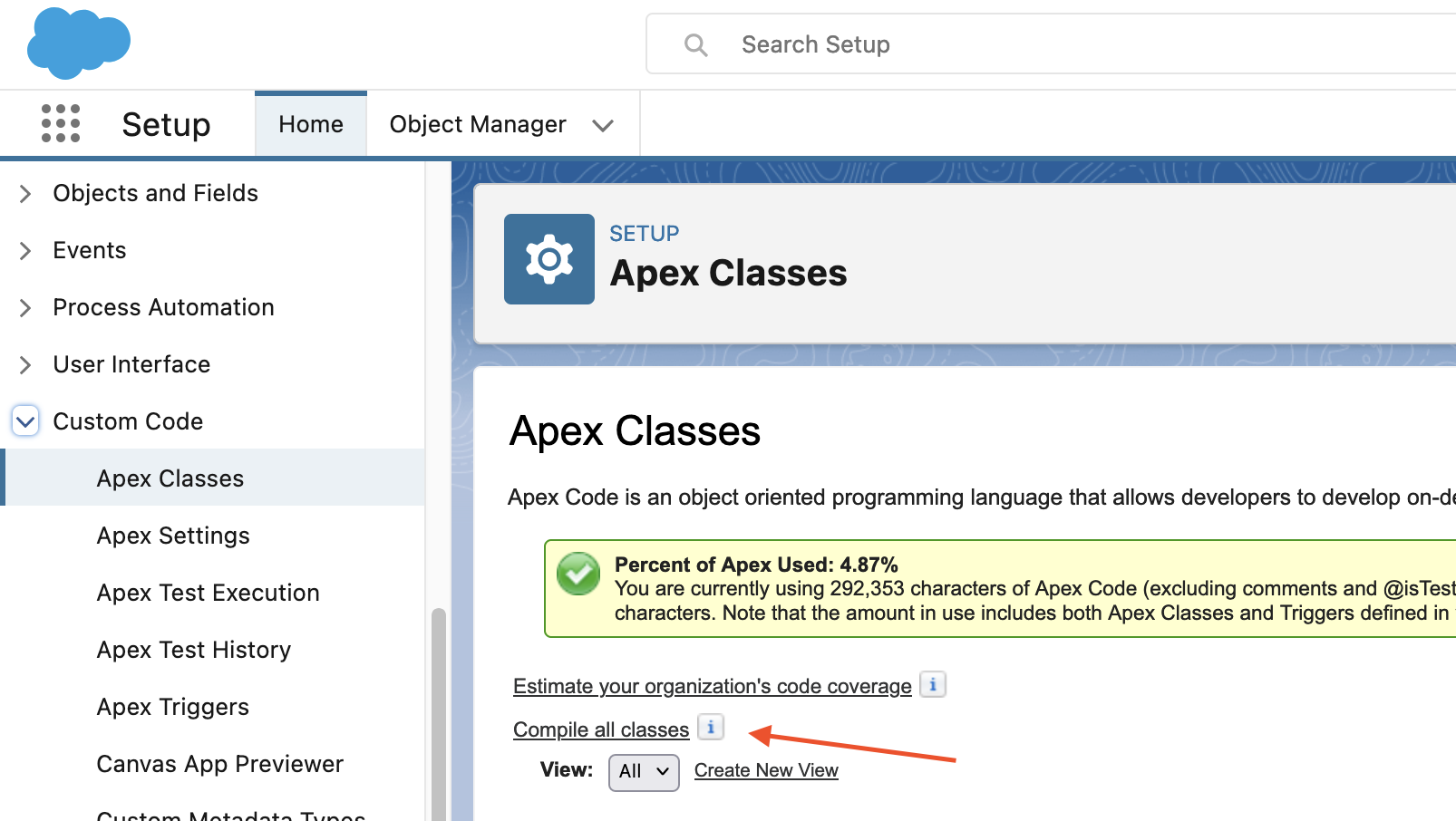
To prevent this from happening again, enable compiling upon deploy:

  1. Go to Salesforce Setup > **Apex Settings

    **

  2. Enable Perform Synchronous Compile on Deploy

  3. Click Save

Plauti
PrivacyTermsContact Support

© 2026 Plauti B.V. All rights reserved.