Problem:
I want to edit my scheduled jobs, but for some jobs this is not possible.
Answer:
A while ago Deduplicate Job was redesigned. Scheduled jobs that were created in the new Deduplicate Job can be edited, but older scheduled jobs, that were created in the old Deduplicate Job, cannot be edited.
Instead, create a new scheduled job, and deactivate or delete the old one.
To edit, (de)activate or delete scheduled jobs:
- Go to the Deduplicate Job tab.
- Click the Down arrow next to the Job Overview header to switch to the Scheduled Job Overview.
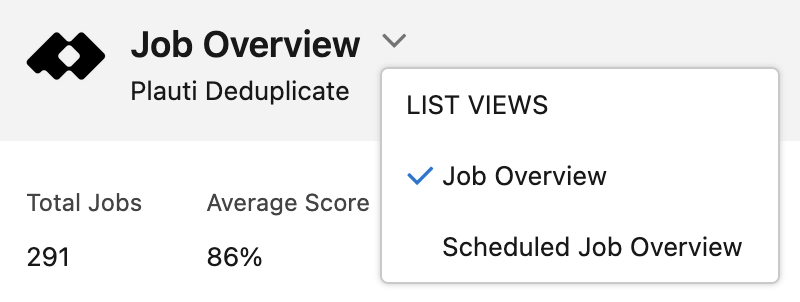
The Scheduled Job Overview opens.
3. Find the scheduled job and click Job Options  at right.
4. In the Job Options menu of the scheduled job, click Activate, Deactivate, Edit, or Delete.